
Install Mimir
PS> irm https://raw.githubusercontent.com/cloudboy-jh/mimir/master/install.ps1 | iex
PS> mimir setup
$ curl -fsSL https://raw.githubusercontent.com/cloudboy-jh/mimir/master/install.sh | sh
$ mimir setupInstalls the CLI, then provisions D1, R2, and the private dashboard in your account.
Try it locally
$ mimir demoAfter installing the CLI, run mimir demo to open the dashboard with synthetic data. No Cloudflare deployment or API key required.
Works with your coding agents
One memory layer across harnesses
 Hermes
 Claude Code
 Pi
Pi OpenCode
 Codex
Codex Cursor
 Oh My Pi
What Mimir remembers
Sessions, outcomes, models, evidence
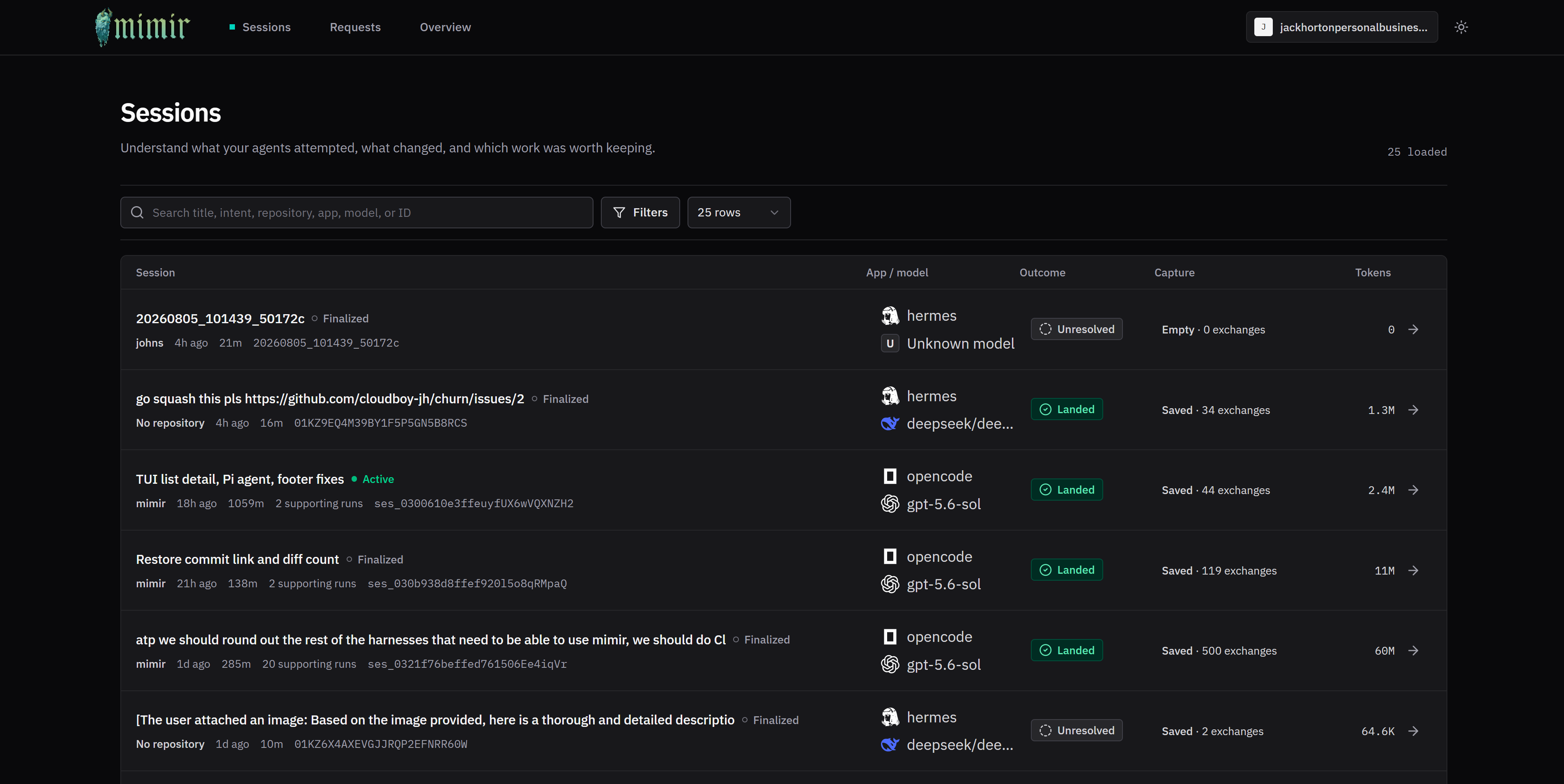
Sessions · Outcomes · Capture state · Models · Tokens · Git artifacts · Request evidence · Sub-agent hierarchy
CLI Reference
Full CLI reference →-
mimir search <query>Recall useful context from prior agent work.
-
mimir session get <id>Inspect one session and its supporting evidence.
-
mimir dashboardOpen the private dashboard in your browser.
-
mimir doctorValidate the deployment and managed integrations.